- Professional quotes
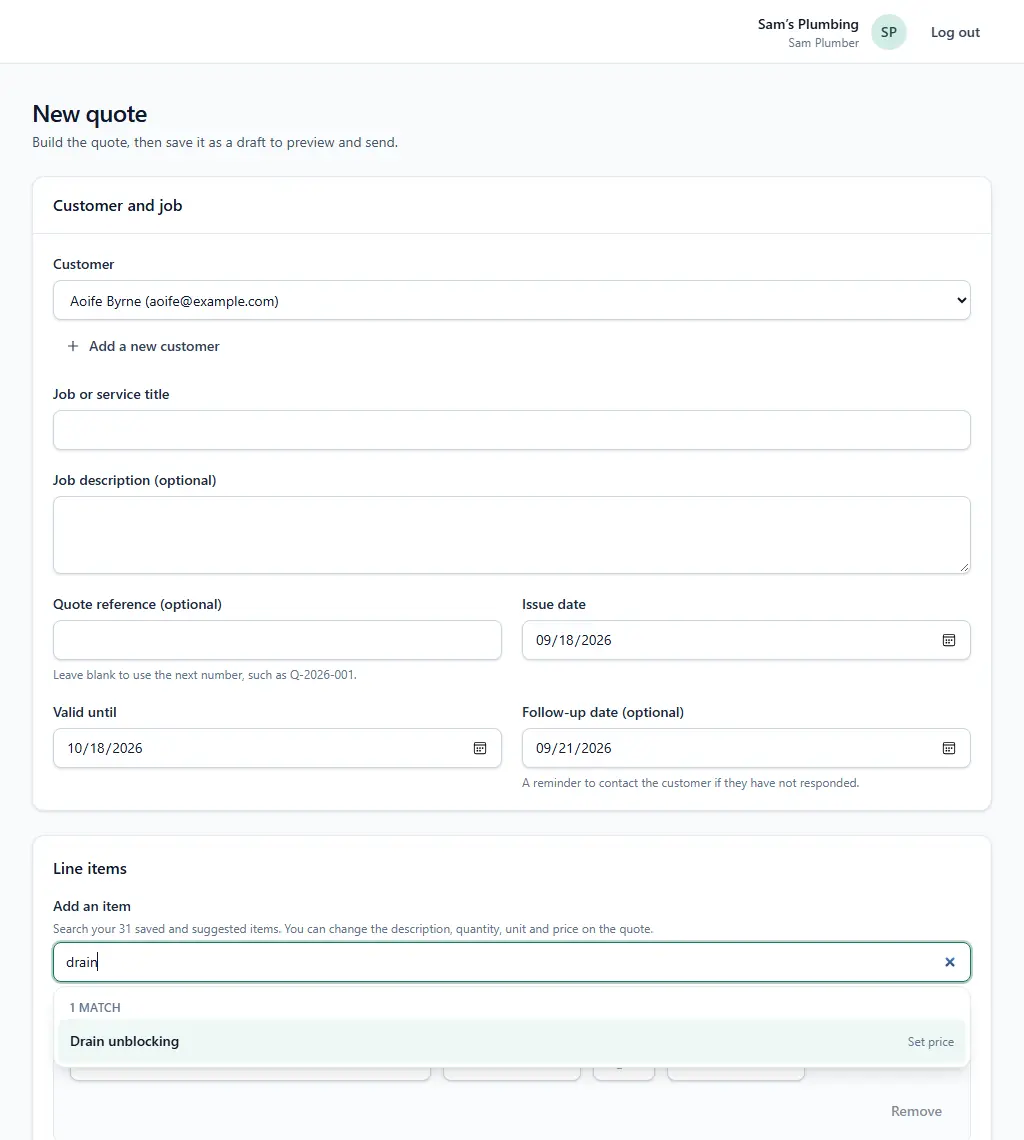
- Itemise parts and labour so a customer comparing two boiler quotes can see what is included. Save the prices you use often, such as a tap replacement or drain unblocking, and add them in seconds.
- Follow-up reminders
- Give each estimate a follow-up date. You and your team get an email when it is due, so a bathroom quote is chased even after a week of emergency call-outs.
- Automatic customer follow-up (optional)
- If you switch it on, QuoteFollow sends the customer one short message on the follow-up date you set for it (or three days after you email the quote) asking whether they have had a chance to look. It is off by default, and you can turn it off for any quote.
- Quote status
- See which plumbing quotes are sent, opened, accepted, declined or expired. A quote the customer opened twice is worth a call; one they never opened may need a different channel.
- Customer acceptance
- Customers accept or decline from the secure quote link, without an account. You see the answer instead of hunting through texts.
- Job scheduling
- An accepted quote becomes a job you contact the customer about, book for a date and time, and mark completed, so nothing agreed is left unbooked.
- Invoices from the quote
- Create the invoice from the accepted quote with the same lines, edit anything that changed on the day, and send it by email or share it as a PDF.
- Repeat work reminders
- Set yearly reminders for boiler servicing or other planned maintenance, and get reminded before each visit is due. You choose when to contact the customer.